Build Scalable, Governed, and High-Performance Power BI Solutions
The Challenge: Organic Growth Without Standards

Modern organisations rely heavily on Power BI for decision-making — yet most Power BI environments grow organically, without consistent standards.
Slow Reports
Poor performance impacts user adoption and decision speed
Inconsistent KPIs
Different teams calculate metrics differently, eroding trust
Duplicated Datasets
Wasted resources and conflicting versions of truth
Security Risks
Governance gaps expose sensitive data and compliance issues
A Practical Framework for Power BI Excellence
The Power BI Development Standards & Best Practices Toolkit provides a practical, proven framework to design, build, and manage Power BI solutions that scale confidently across teams, departments, and the enterprise.
This toolkit is designed for organisations that want clean architecture, trusted metrics, faster performance, and long-term sustainability in Power BI. It becomes your single source of truth for how Power BI should be built and managed.

Consistent
Standardized approaches across all Power BI assets

Governed
Security and compliance built into every layer

Performant
Optimized for speed and user experience

Maintainable
Easy to update, extend, and support long-term
Architecture & Data Modelling Standards
Power BI Architecture & Design
Clear guidance on recommended Power BI architecture patterns, dataset-first and semantic model design, and when to use Import, DirectQuery, or Composite models. Includes comprehensive naming conventions across workspaces, datasets, reports, and measures.
Outcome: A clean, scalable, and future-proof Power BI architecture.

Data Modelling Best Practices
Star schema vs snowflake modelling, fact and dimension design, handling slowly changing dimensions, role-playing dimensions, cardinality and relationships, surrogate keys and grain definition.
Outcome: Faster queries, simpler DAX, and trusted analytics.
DAX Standards & Measure Design
Measure naming conventions, folder structures for large models, calculation groups usage, time intelligence patterns, avoiding DAX performance anti-patterns, and reusable KPI logic.
Outcome: Consistent KPIs, easier maintenance, and improved performance.
Performance Optimization Framework
Best practices for reducing dataset size, optimizing column encoding and data types, managing high-cardinality columns, implementing aggregations and incremental refresh, visual-level performance tuning, and diagnosing slow reports.
Reduce Dataset Size
Eliminate unnecessary columns and optimize data types

Implement Aggregations
Use aggregation tables for large datasets

Incremental Refresh
Load only new or changed data efficiently

Visual Optimization
Fine-tune report visuals for faster rendering
Outcome: Faster load times and better user experience across all reports and dashboards.
Report Design & User Experience Standards
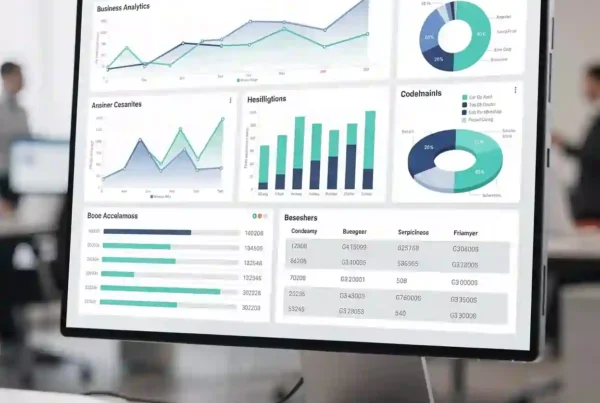
Design standards focused on executive vs operational report layouts, colour themes and accessibility, visual selection best practices, page navigation patterns, drill-through and tooltip usage, and mobile-friendly report design.
Outcome: Clear, intuitive, and trusted dashboards that users love.
01
Layout Strategy
Choose appropriate layouts for executive vs operational needs
02
Visual Selection
Select the right chart types for your data story
03
Navigation Design
Create intuitive page flows and drill-through patterns
04
Accessibility
Ensure reports work for all users and devices
Security & Governance Framework
A structured approach to workspace strategy and access control, row-level and object-level security, certified and promoted datasets, tenant and workspace governance rules, and auditing usage and adoption.
Workspace Strategy
Organize workspaces by business function with clear access control
Row-Level Security
Implement RLS to control data visibility by user role
Dataset Certification
Promote and certify trusted datasets for enterprise use
Usage Auditing
Monitor adoption and identify governance gaps
DevOps & Lifecycle Management
Guidance on Development, Test, and Production separation, Power BI deployment pipelines, version control strategy, change management practices, and release and rollback processes.
Development

Development
Build and test new features in isolated environment

Testing
Validate changes with stakeholders before production

Deployment
Use pipelines for controlled, automated releases

Monitoring
Track performance and user adoption post-release
Outcome: Safer deployments and fewer production issues, with clear rollback procedures when needed.
Who Benefits from This Toolkit?

Data & BI Teams
Standardize Power BI delivery across projects and reduce technical debt

IT & Analytics Leaders
Improve governance, performance, and long-term sustainability

Consulting Teams
Deliver repeatable frameworks and accelerate client engagements

Growing Enterprises
Scale Power BI across multiple business units without losing control
If your Power BI environment is growing rapidly — this toolkit helps you stay in control without slowing innovation.
Transform Your Power BI Environment Today
Used as a Power BI Centre of Excellence standard, embedded into internal BI delivery playbooks, or as part of Power BI Health Checks and audits.
Get Started
If you’re serious about building high-quality, scalable Power BI solutions, this toolkit gives you the structure, clarity, and confidence to do it right — the first time.
Optional Add-Ons:
- Power BI Environment Health Check
- Customized standards for your organization
- Hands-on developer training
- Monitoring and usage analytics
- Ongoing MSP and governance support

Faster Performance
Optimized reports and datasets

Consistent KPIs
Trusted metrics across the organization

Better Governance
Improved security and compliance

Lower Costs
Reduced technical debt and support burden